Forms live everywhere
Checklists sit in Word, Excel and PDF. Completed copies come back by email, as WhatsApp photos or in shared folders.

For commercial fleets and ship managers
Convert existing vessel forms into controlled offline workflows. Completed records keep versions, evidence, signatures, approvals, and timestamps attached.
Checklists, risk assessments, inspections, safety rounds, reports: whatever forms your fleet already runs.
Private deployment · human-reviewed form conversion · paid, fixed-scope pilot
The problem
Checklists sit in Word, Excel and PDF. Completed copies come back by email, as WhatsApp photos or in shared folders.
Rounds, drills and bunkering happen at anchor or on passage, often on a weak satellite link or none at all.
The office revises a form, but the old copy is still in the binder or on the bridge PC.
Before an audit, vetting or PSC inspection, someone chases signatures, photos and dates across inboxes.
See the product
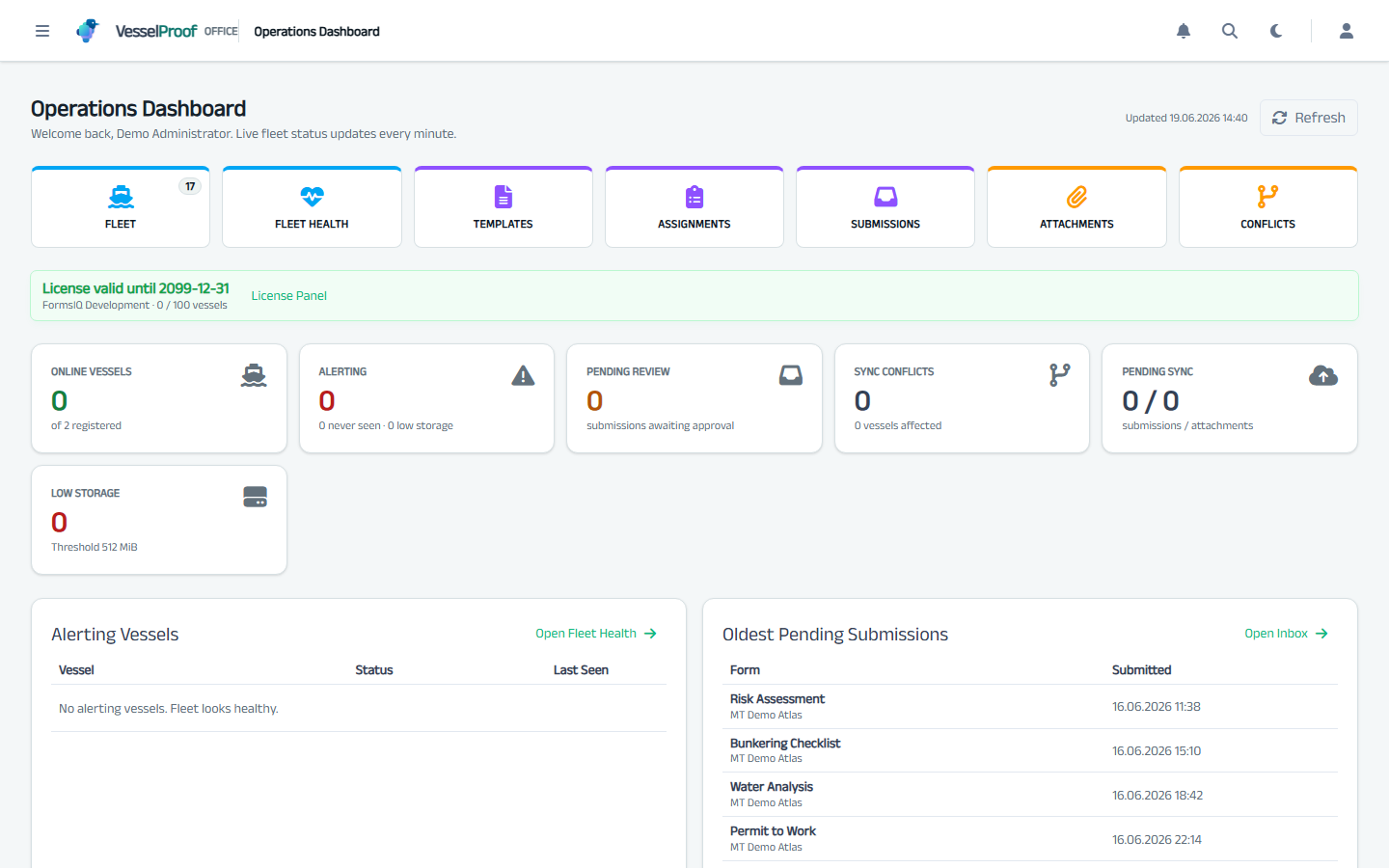
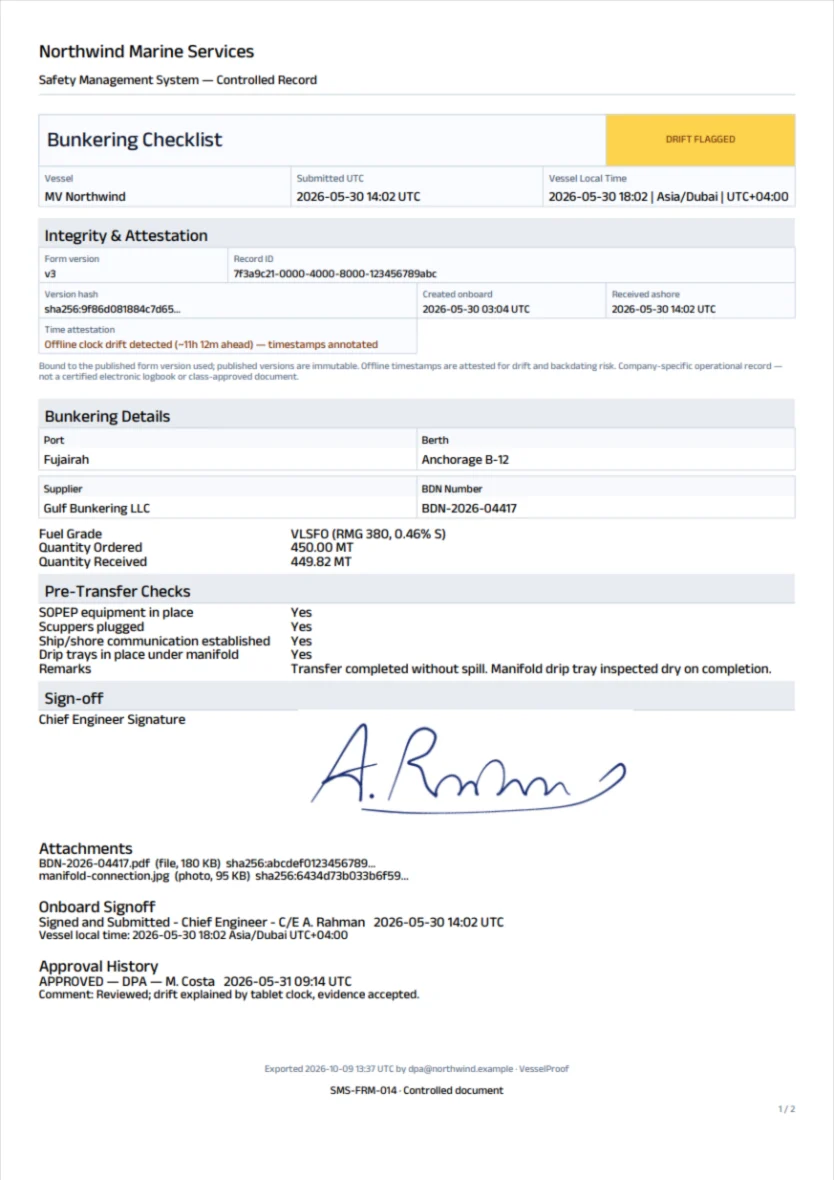
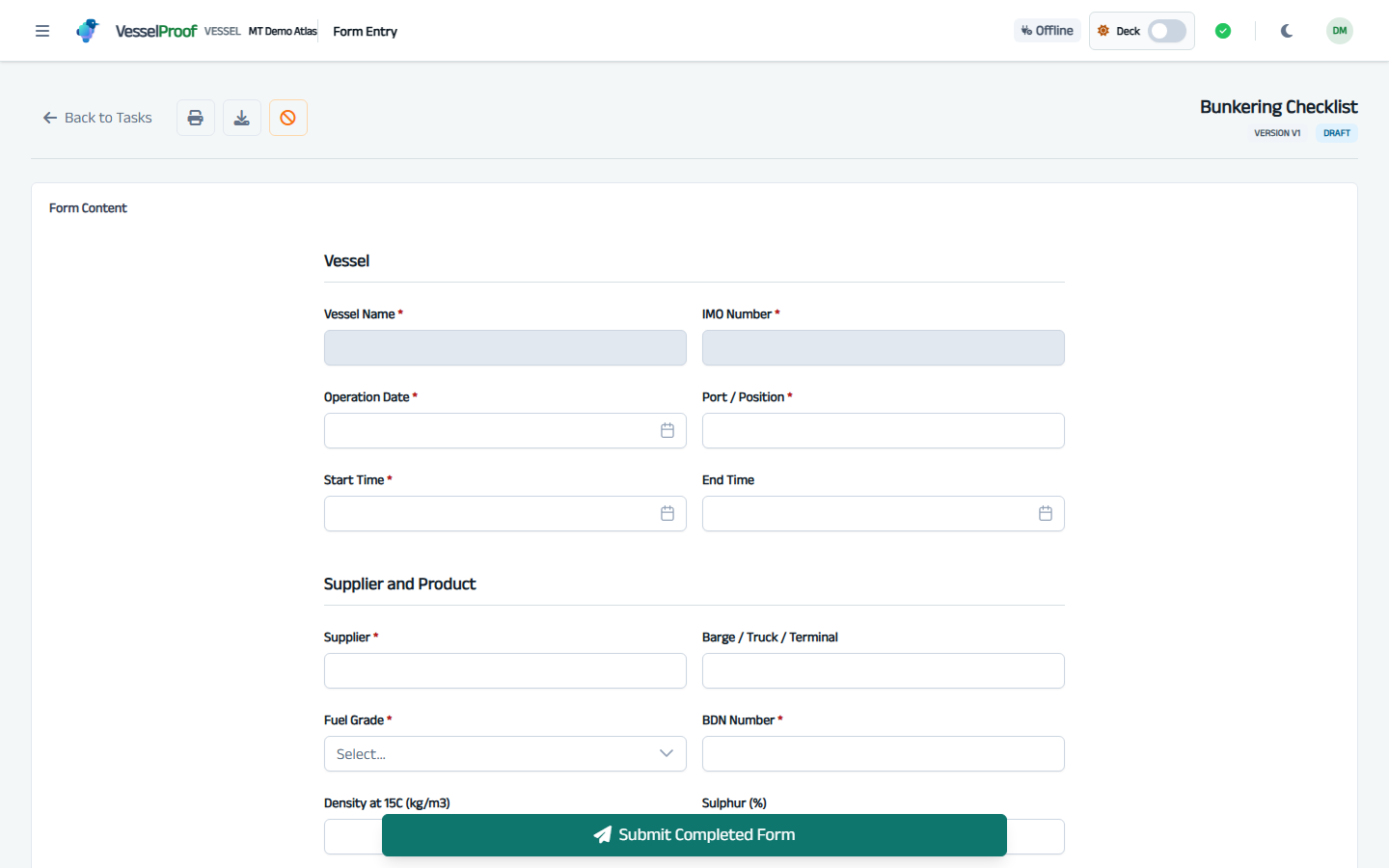
Follow one bunkering checklist through Office, onboard work and evidence export.
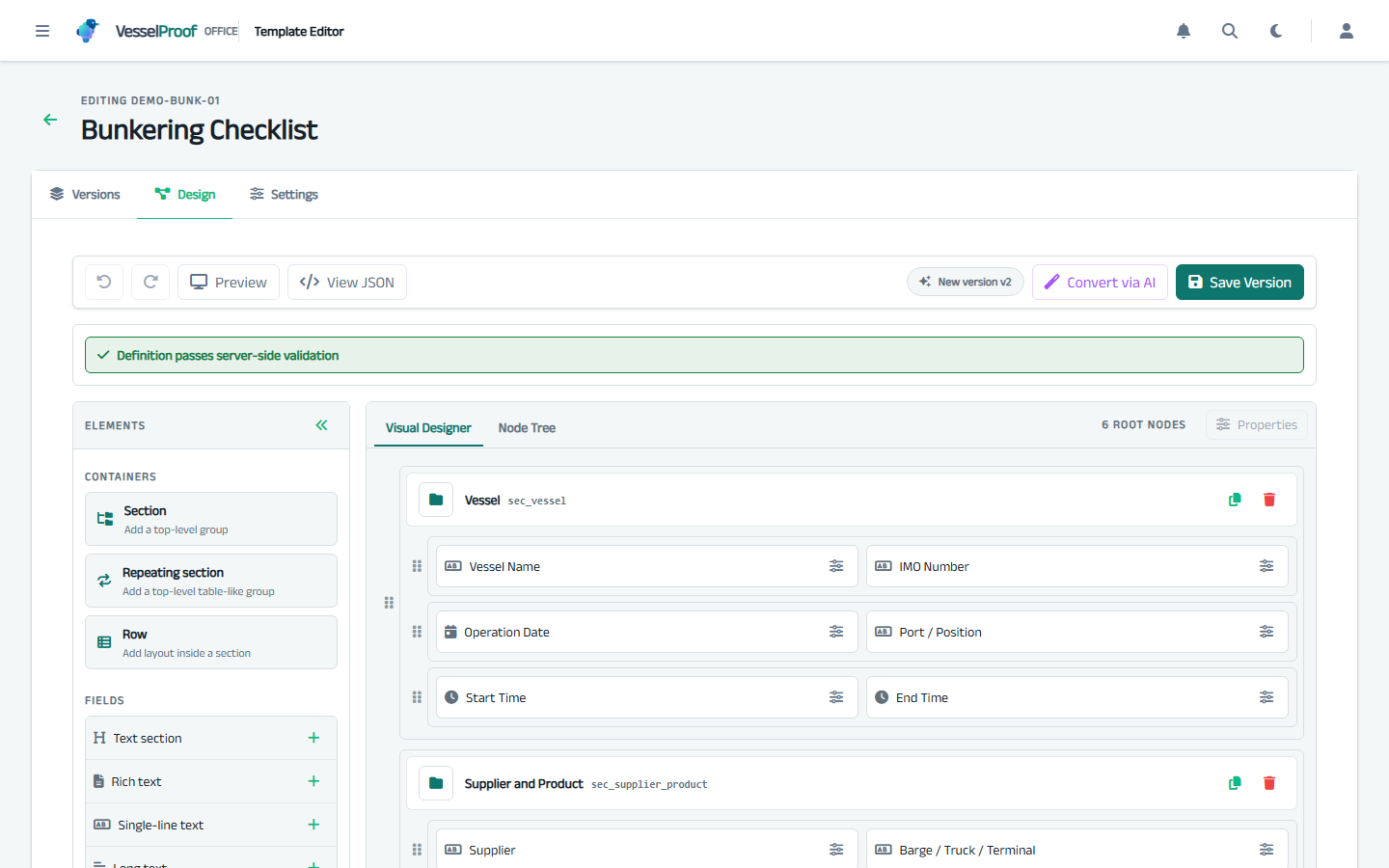
Bring a Word, PDF, Excel, CSV, text or image form. Review the AI-assisted draft, publish its approved version, and assign it to your vessels.
Why VesselProof
Publish the approved version to selected vessels. Each completed record stays bound to the version used onboard, including work completed while disconnected.
Photos, signatures, approvals and comments stay attached to the record, so the office reviews one complete file instead of chasing attachments.
Each record keeps the onboard time and the time it reached the office. Clock drift and possible backdating are flagged, so a 03:00 engine-room round that syncs at 14:00 still adds up.
Published templates cannot be edited in place, records carry content hashes, and privileged actions go into the audit trail. A later change shows; it does not slip by.
When the link returns, the record, attachments and signatures sync together. If the same record changed ashore, the crew is asked which version to keep; nothing is silently overwritten.
Office and vessel services run in your environment. Your PMS and ERP stay in place; VesselProof handles company forms and the evidence behind them.
Core controlled documents
Office publishes procedures, manuals, certificates, and circulars as immutable PDF revisions. Vessels receive the controlled library, cache selected files for offline use, and return named-user read acknowledgements to shore.
Every content change creates a new immutable PDF revision. Supersede and withdraw remain explicit actions.
Document metadata reaches the vessel first. Crew download only the PDFs they need, with size and hash verification.
Named-user acknowledgements keep their local sync state and reconcile back to Office.
Forms and completed submissions can pin the exact controlled-document revision used as evidence.
Controlled publication and revision evidence—not a general file share, PMS, or full QHSE/DMS.
Paid, fixed-scope pilot
The first step is a paid, fixed-scope pilot: convert a few real forms, run them on real vessels, and deliver completed evidence records the office can inspect.
Controlled Documents is part of core VesselProof. Document setup joins the pilot only when explicitly agreed inside the fixed scope.
Discuss pilot fit ↗Built for private, single-tenant deployments where fleet evidence stays in the operator’s environment, not a shared SaaS database.
The pilot includes Office and Vessel setup and crew onboarding. Backup ownership, restore procedures and support arrangements are agreed before installation.
VesselProof is not marketed as a certified electronic logbook, PMS replacement, full QHSE suite, or class/flag/OCIMF-approved system. It supports company-specific operational records and inspection readiness.
Questions
Yes. The vessel server runs onboard, and the crew fill forms over the ship’s own network without a shore connection. Records sync to the office when the link returns. On metered VSAT you can limit sync to set time windows.
In your environment. Office and vessel services run on servers you control, with your own databases and file storage. There is no shared VesselProof cloud holding your fleet records.
No. Upload the Word, PDF, Excel, CSV, text or image version you use today. VesselProof prepares a draft template, and your team checks and corrects it before anything is published. Nothing goes live automatically.
No. Your PMS, ERP and QHSE tools stay where they are. VesselProof covers company forms and controlled documents, and the evidence behind them.
No, and we do not claim it. VesselProof is not a certified electronic logbook and has no class, flag or OCIMF approval. It supports your company’s own operational records and inspection readiness.
Not yet. VesselProof has a documented security model, server-side permissions, signed licences and audit trails, but no third-party penetration test or certification so far. We share the security overview on the first call.
The pilot is paid and fixed in scope. We quote it on the first call, once we know your forms and vessels. If you continue within 60 days of the pilot ending, the pilot fee is credited to the first year.
One to three sample forms, how they are reviewed and approved today, and who needs to see the finished record. For the install: a server or virtual machine at the office and a machine onboard each pilot vessel.
Tell us who you are and which forms you want to digitize. Fleet details are optional.